Best POS System for Restaurants
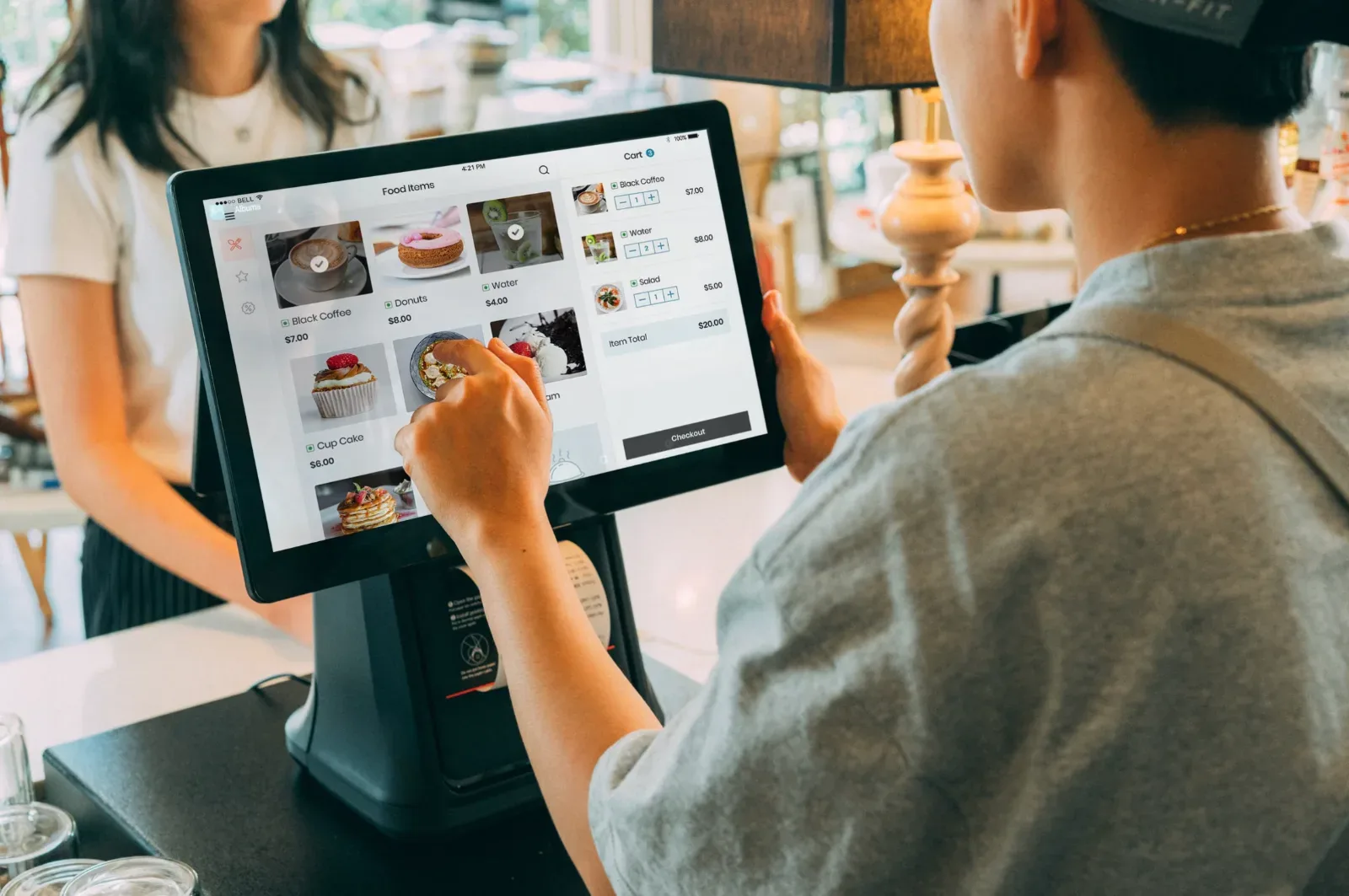
If you're comparing a POS system for restaurants, the short answer is: Toast is the strongest all-around pick for full-service restaurants, Square for Restaurants is the best value and easiest start for small or quick-service spots, and Clover is worth it only if you buy direct and pay for hardware upfront rather than financing it. Unlike a generic retail till, a real restaurant POS is built around the table-to-kitchen workflow — table and floor plan management, kitchen display routing, menu modifiers, split checks, and tip handling — not just barcode scanning and checkout.
This list of POS systems for restaurants breaks down five real, current options — Toast, Square for Restaurants, Clover, TouchBistro, and Lightspeed Restaurant — with actual pricing, processing fees, hardware costs, and honest pros and cons pulled from real user reviews, not just marketing copy. Real monthly cost is driven far more by processing fees than by the software's sticker price, so we've broken that out for each one too.
What to Look for in a POS System for Restaurants
A restaurant POS needs to do things a generic retail POS simply isn't built for:
- Table and floor plan management — drag-and-drop layouts, seat/section assignment, table status and turn-time tracking.
- Kitchen display system (KDS) or kitchen printer routing — orders fire straight to the kitchen, cutting down on verbal relay errors during a rush.
- Menu modifiers — "no onions," "extra cheese," temperature and other modifier chains that barcode-based retail systems can't handle.
- Split checks and seat-level ordering — split by seat, by item, or evenly, plus course firing.
- Tip management — tip adjustment after the card runs, tip pooling, and tip-out reporting.
- Recipe-level inventory — depletes stock by recipe as dishes sell, not just by unit like retail SKU tracking.
- Offline mode — keep taking and firing orders if the internet drops.
- Online ordering, staff management, and loyalty — increasingly built in, though sometimes as paid add-ons.
Best POS Systems for Restaurants
1. Toast — Best for Full-Service Restaurants
 Toast is a restaurant-only cloud POS built from the ground up for food and beverage operations — you'll find Toast in well over 170,000 restaurants, working with roughly one in five independent U.S. restaurants and small chains.
Pricing: The Starter Kit is $0/month in software, but carries a higher processing rate (around 2.99% + $0.15 in-person) and typically requires a contract. The core Point of Sale plan is $69/month per location, with in-person processing dropping to 2.49% + $0.15. More advanced setups with add-on modules (payroll, KDS, loyalty) run $110-165/month and up, custom-quoted. You must use Toast's own payment processing — no third-party processors.
Hardware: Proprietary, spill and heat-resistant. Terminals typically run $799-999, handhelds around $627-1,400, KDS screens $449-699. A "$0 upfront" hardware option exists in exchange for higher processing rates and a multi-year commitment.
Features: Deep restaurant-native tools — floor plans, coursing, tableside handhelds, KDS, online ordering, menu-engineering analytics, built-in payroll and labor tools, loyalty, gift cards.
Pros: Purpose-built for restaurants; durable hardware; strong KDS and handhelds; deep reporting; the largest restaurant install base of any option here.
Cons: Processing lock-in with no third-party option; multi-year auto-renewing contracts with early-termination fees; add-ons and hardware routinely push the real bill to 2-3x the advertised plan price — a small café commonly lands at $400-600/month, a busy full-service restaurant $2,000-2,500/month.
Best for: Full-service restaurants, bars, and high-volume or multi-location operations that want the deepest restaurant-specific toolset available.
2. Square for Restaurants — Best Free & Easy Option
 Square is the easiest, cheapest way into a real POS system for restaurants, with a genuinely functional free tier and transparent, published pricing — no contract required on any plan.
Pricing: Free: $0/month, with in-person processing at 2.6% + $0.15 — covers menu management, online ordering, and offline payments. Plus: $49/month per location adds full table management, floor plans, and coursing, with processing dropping to 2.5% + $0.15. Premium: $149/month brings the lowest rate (2.4% + $0.15) plus advanced reporting and 24/7 priority support.
Hardware: Works on iPads you already own, or Square's own devices — Reader $59, Stand $149, Terminal $299, Handheld $399, Register $899.
Features: Custom floor plans, split checks and coursing on paid tiers, online ordering included even on the free plan, loyalty (paid add-on), and integrations with 7shifts, Deputy, Homebase, QuickBooks, and major delivery platforms.
Pros: A genuinely free tier; no contracts; the cheapest hardware of any option here; huge ecosystem of integrations.
Cons: Flat-rate processing gets expensive at high volume; full-service depth trails Toast; some reviewers report account fund holds.
Best for: Small restaurants, cafés, coffee shops, food trucks, and quick-service spots that want to start free and upgrade only as they grow.
3. Clover — Best If Bought Direct, With Hardware Paid Upfront
 Clover is sold both directly and through third-party resellers and banks, which is exactly why quoted prices vary so wildly across review sites — a common source of confusion worth understanding before you buy.
Pricing: Clover's restaurant-specific dining plans can be bought two ways — a financed bundle (Quick Service around $135/month, Full Service around $179/month, each on a 36-month term) or hardware paid upfront ($849 or $1,799 respectively) plus a lower $89.95/month software fee. Buying direct and paying hardware upfront lets you go month-to-month and cancel anytime; the financed bundles lock you into a long-term contract with early-termination fees. Direct processing on restaurant plans runs 2.3% + $0.10 in-person — actually the lowest card-present rate of any option here.
Hardware: Clover-branded only — software won't run on outside hardware. Devices range from a compact Go reader up to the Station Duo (around $1,899).
Features: Table maps, coursing, split checks, tableside payments, a large third-party app marketplace, loyalty, and inventory tools.
Pros: The lowest direct card-present processing rate here; polished, well-built hardware; a large, flexible app marketplace.
Cons: Confusing reseller pricing is the single biggest source of buyer frustration; financed plans carry 36-month contracts; hardware can't be resold or used with another provider.
Best for: Businesses that want versatile, polished hardware and don't mind buying direct and paying upfront to avoid long contracts — also a solid pick for food trucks via the compact Flex/Mini hardware.
4. TouchBistro — Best iPad-Based Option
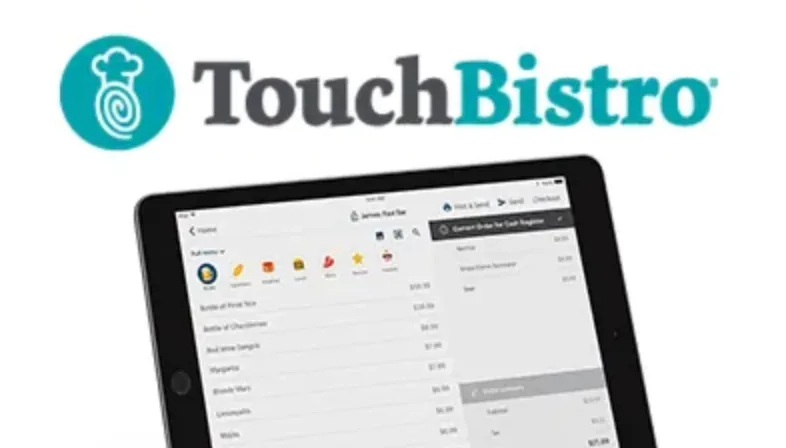 TouchBistro is an iPad-native POS built specifically for restaurants, with particularly strong offline reliability and native reservation tools.
Pricing: The core Point of Sale plan starts at $69/month, billed annually. An Essentials bundle (POS, hardware, and processing) runs around $119/month. There's no free plan and no free trial, and TouchBistro requires annual contracts along with its own TouchBistro Payments (powered by Chase) for new customers. Add-ons like online ordering ($50/month) and loyalty ($99/month) stack on top and can add up quickly.
Hardware: Runs on iPads — often the ones you already own — plus optional cash drawers, printers, and routers by quote.
Features: Tableside ordering, drag-and-drop floor plans, menu modifiers, split checks, a genuinely robust offline mode that keeps firing orders and taking payments without internet, native reservations, and 24/7 support with dedicated onboarding.
Pros: Familiar iOS interface means fast staff training; strong table management and one of the most reliable offline modes available; native reservations built in.
Cons: Add-ons balloon the cost quickly; long-term contracts (often multi-year) with steep early-termination fees; no free plan or trial to test-drive first.
Best for: Independent full-service restaurants, bars, and cafés that want an iPad-based system with strong offline reliability and built-in reservations.
5. Lightspeed Restaurant — Best for Growing or Multi-Location Restaurants
 Lightspeed Restaurant is the strongest choice once a restaurant has outgrown Square but doesn't need an enterprise-grade system — particularly for inventory-heavy or multi-location operations.
Pricing: Starter: $69/month covers core POS, menu manager, floor plans, and modifiers. Essential: $189/month adds full order and table management plus online ordering. Premium: $399/month brings advanced reporting and API access. In-person processing on the Starter plan runs around 2.6% + $0.10; using a third-party processor instead of Lightspeed Payments can trigger a monthly penalty fee. A one-year contract is required, though a 14-day free trial is available to test it first.
Hardware: iPad-only — no Android or Windows support. A complete single-register setup typically runs around $1,484, excluding the iPad itself.
Features: Customizable floor plans, table and waitlist management, efficient check splitting, KDS (paid add-on), online ordering and loyalty included on plans, and genuinely deep inventory management.
Pros: Strong table management, reporting, and inventory depth; online ordering and loyalty included rather than gated behind add-ons; scales cleanly across multiple locations.
Cons: Higher software fees than most competitors here; iPad-only; each additional location or register adds to the bill at full plan price.
Best for: Growing full-service restaurants, bars, and multi-location operations that need real inventory depth and have outgrown a Square-level system.
Comparison Table
| POS System | Starting Price | Processing (in-person) | Best For |
|---|---|---|---|
| Toast | $0-$69+/mo | 2.49-2.99% + $0.15 | Full-service restaurants |
| Square for Restaurants | $0-$149/mo | 2.4-2.6% + $0.15 | Small & quick-service, best free tier |
| Clover | $89.95/mo (direct) | 2.3% + $0.10 | Buy direct, avoid financed contracts |
| TouchBistro | $69-$119/mo | Quote-based | iPad-based, strong offline mode |
| Lightspeed Restaurant | $69-$399/mo | ~2.6% + $0.10 | Growing or multi-location restaurants |
How to Choose the Right One for Your Restaurant
Start with your restaurant type and volume. If you're running a full-service or high-volume operation, Toast delivers the deepest restaurant-native toolset, while Lightspeed is the stronger pick if you want iPad flexibility and real inventory depth without Toast's proprietary hardware lock-in. If you're small, new, quick-service, or running a food truck, start free on Square and upgrade to Plus only once you need floor plans and coursing — this is genuinely the easiest and cheapest entry point among every restaurant POS system here. If you want polished hardware and an app marketplace, Clover works well, but buy direct and pay for hardware upfront rather than financing it, which is where most Clover complaints actually originate. If you want an iPad system with strong offline reliability and built-in reservations, TouchBistro is a solid independent-restaurant pick, just get every add-on quoted in writing first.
Whichever you choose, remember that processing fees usually matter more than the software price — a restaurant doing meaningful card volume will pay far more in processing than in monthly software fees, so always model your real transaction volume against the quoted rate before signing anything.
Frequently Asked Questions
Do restaurants really need a dedicated POS system?
Practically, yes. A real restaurant POS routes orders straight to the kitchen, manages tables and split checks, handles modifiers and tips, tracks inventory by recipe, and gives you real-time sales and labor data — none of which a basic cash register or generic retail till can do.
What's the cheapest POS system for a small restaurant?
Square for Restaurants has a genuinely free software plan — $0/month, you only pay processing at 2.6% + $0.15 in-person — making it the cheapest real option for small restaurants and food trucks. Toast's $0 Starter Kit is also free on software, but comes with a higher processing rate in exchange.
How much do restaurant POS systems actually cost, including processing fees?
Software alone runs anywhere from $0 to around $400/month per location, but processing fees (typically 2.3-2.99% + $0.10-0.15 per in-person transaction) usually dominate the real bill. All-in, expect roughly $250-700/month for a small café and $1,000-2,500+/month for a busy full-service restaurant.
What's the best POS system for a food truck?
Square is the easiest and cheapest start, with a free plan, offline mode, and hardware from $59-299. Clover's compact Flex and Mini hardware are also excellent for tight mobile setups. Toast's Go handhelds suit trucks that essentially operate as full mobile restaurants.
What's the difference between a restaurant POS and a generic point of sale system?
A restaurant POS is engineered around the table-to-kitchen workflow — floor plans, kitchen display routing, modifiers, coursing, seat-level split checks, tip adjustment, and recipe-level inventory. A generic retail POS focuses on barcodes, SKUs, and unit-level inventory, and simply lacks these food-service-specific workflows.
Sources
Pricing and plan details were verified against each vendor's official site (pos.toasttab.com, squareup.com, clover.com, touchbistro.com, lightspeedhq.com) and cross-checked against independent review coverage (G2, Capterra, Trustpilot, Merchant Maverick) where official pricing pages were unclear or reseller-dependent, as is the case with Clover. Processing rates, contract terms, and hardware costs change frequently and vary by region, volume, and negotiated deal — always confirm current terms directly with the provider before purchasing. We re-check and refresh this guide on a regular basis.